Product
Integrations
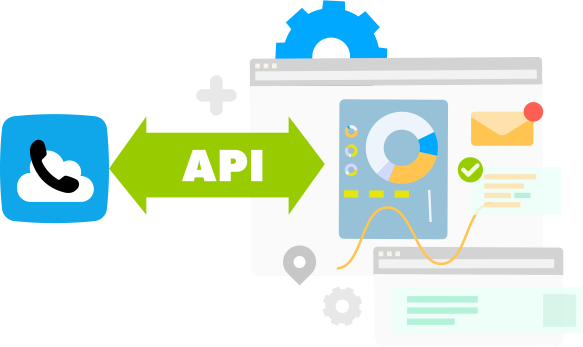
API (Application Programming Interface) - this is a software interface which enables integration of KOMPaaS Virtual PBX functions with business application purchased on the market or done by yourself.
API provides the total automation of business processes and using a single surface it can organize the workflow of employees and organizational units.
CRM system integrations and more

Microsoft Teams
Integrate Microsoft Teams with KOMPaaS telephony. Manage communications with any users via chat and phone directly within the Teams workspace.

Odoo
Synchronize calls, messages, and customer data in your CRM. Integration of KOMPaaS telephony with Odoo CRM helps efficiently track leads and increase the number of successful deals.

Make
Build automated integration scenarios using Make and KOMPaaS. Connect CRMs, messengers, and business services without coding.

Slack
Receive automatic notifications about calls, SMS, speech analytics results, and other telecom platform events in the Slack corporate messenger through integration with KOMPaaS telephony.

Telegram
Manage customer conversations in Telegram and receive notifications about events on the KOMPaaS platform directly in the messenger.

WhatsApp
Integrate WhatsApp into your workflows: communicate with customers, record conversations, and automate responses using the KOMPaaS.tech platform and the popular messenger.

Viber
Add Viber as a communication channel to expand customer engagement capabilities. Manage chats and notifications within a unified KOMPaaS interface.

Facebook Messenger
Use Facebook Messenger to interact with customers via a ready-to-use integration with the telecom platform KOMPaaS. Receive and process customer messages in your preferred channel.

RCS
Leverage RCS messaging capabilities within the KOMPaaS telecom platform. Interactive RCS messages enable instant communication with customers and significantly speed up response times when quick feedback is required.

SMS
Use SMS as a customer communication channel. Track customer interactions via SMS within a single KOMPaaS interface.

Email
Use email as a communication channel with your customers. The KOMPaaS telecom platform supports email integration, expanding your communication capabilities.

Google Sheets
Export data on KOMPaaS platform events to Google Sheets. Analyze call data, SMS, and messaging interactions in a format convenient for you.


WebHooks
WebHooks - are automated messages sent from apps if something happens in KOMPaaS Virtual PBX or telephone services. For example: a message on incoming call in order to activate the calling client's card in the CRM.
WebHooks and API enable quick and easy integration of KOMPaaS Virtual PBX and telephone functionalities with the user's CRM-system, accounting software, website or webshop, cloud services and self-made software.

Messages (Webhooks) on incoming calls

Initiation of outgoing calls (calls, initiated from API, tariffication according to the tariff scheme)

Query of recorded calls

Detailed statistics on outgoing and incoming calls

List of available free telephone numbers in a certain region

Allocation of available city numbers

Allocation of telephone numbers to the selected tariff package

Activation of the client's card in the CRM when an incoming call is received

Build a sales channel in one app by analyzing call and sales data

Initiation of outgoing calls from the own CRM

Automatic transfer of clients incoming calls to the personal manager and activation of the client's card in CRM

Matching of recorded calls with the client's card in the CRM

Synchronisation of the company's telephone book with the short numbers of Virtual PBX and CRM
KOMPaaS API is becoming bigger and bigger, using new methods, frequently demanded by our customers.
How to use KOMPaaS API?
Step in your MyKOMPaaS account and click on API in the menu.
You can generate token in the following item of the menu: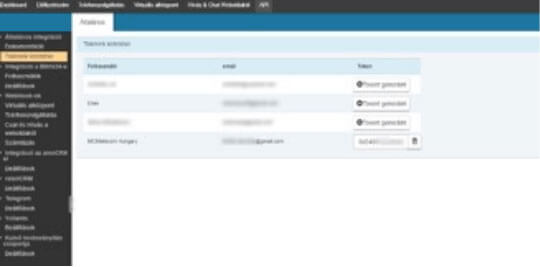
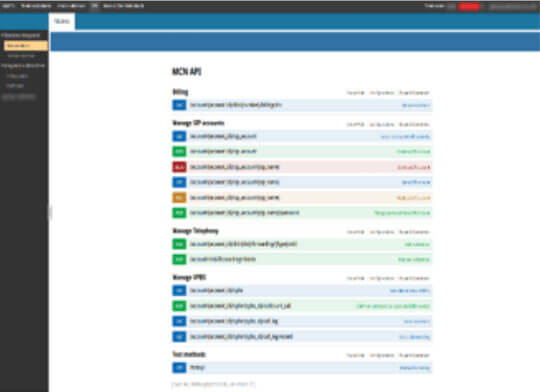
API documentation with a detailed description of the methods is available in the Personal Account:
Answers to your questions